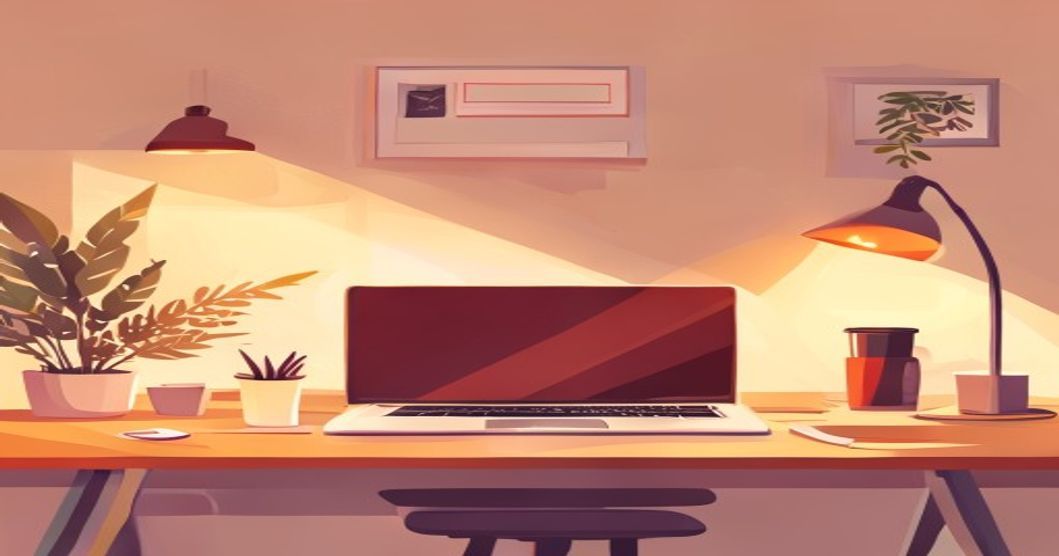
Sitting for hours on a rickety hostel chair, hunched over a laptop that’s heating up your knees—it’s a universal Indian student experience. Between back-to-back lectures, coding marathons, and late-night project submissions, your physical setup often becomes an afterthought, leading to nagging back pain, stiff necks, and reduced focus. But crafting an ergonomic study zone isn’t about buying expensive gear; it’s about working smart with what you have and making a few strategic, budget-friendly swaps.
Why Your Hostel Desk Setup Matters More Than You Think
You might think a little discomfort is just part of the student grind, but the long-term impact is real. Poor posture during your college years can lead to chronic issues like persistent lower back pain, tech neck (text neck), and repetitive strain injuries in your wrists. This isn't just about comfort—it directly affects your productivity. Discomfort is a distraction, breaking your flow during a critical Coursera course module or while debugging code for a project. Investing in ergonomics is an investment in your most important asset: your ability to learn and perform consistently, whether you're preparing for placements at TCS or Infosys or building a startup prototype.
The Budget Ergonomic Foundation: Work with Your Space
Your hostel room is a constraint, but it’s also your canvas. Start with the basics you can control without spending a rupee.
Master Your Chair and Posture
Most hostel chairs are notoriously unforgiving. The immediate fix is to use what you already own to create support.
- Use a firm pillow or a rolled-up blanket to support your lower back. This helps maintain the spine's natural curve.
- Ensure your feet are flat on the floor. If they dangle, use a stack of old textbooks or a small stool as a footrest.
- Sit back in the chair. Your hips should be as far back in the seat as possible, with a small gap between the back of your knees and the seat.
Optimize Your Desk and Screen Height
The goal is to have your screen at eye level and your forearms parallel to the floor. A laptop alone makes this impossible—the screen is too low, forcing your neck to bend, and the keyboard is too high, raising your shoulders.
- The Textbook Riser: The simplest hack. Stack sturdy old textbooks or cardboard boxes under your laptop to bring the top third of the screen to your eye level.
- External Keyboard & Mouse: This is the single most impactful, low-cost upgrade. Once your laptop screen is raised, use a basic external keyboard and mouse (available from ₹500 onwards) placed at elbow height. Your arms should form a 90-degree angle.
Must-Have Affordable Upgrades (Under ₹2000 Each)
Once you've mastered the free adjustments, consider these cost-effective purchases that offer outsized returns.
A Laptop Stand: A dedicated stand (₹800-₹1500) is sturdier and offers better ventilation than a textbook stack, preventing your laptop from overheating during long CodeWithHarry or Apna College tutorial sessions.
An Entry-Level External Monitor: If your budget allows, a used or basic 22-inch monitor (can be found for ₹5,000-₹7,000) is a game-changer. It provides ample screen real estate for multitasking—coding on one side, course documentation on the other—and can be placed at the perfect height.
Proper Lighting: Don't strain your eyes under a single harsh tube light. A small, adjustable desk lamp (₹600-₹1200) with warm white light reduces glare on your screen and prevents eye fatigue during late-night study sessions.
Wrist Rests: For those long coding sprints on freeCodeCamp or project work, a simple gel or foam wrist rest (₹300-₹600) for your keyboard and mouse can alleviate pressure on your carpal tunnels.
Daily Habits for Long-Term Health
Your setup is static; your body shouldn't be. Integrate these micro-habits into your daily routine to counteract long sitting hours.
- The 20-20-20 Rule: Every 20 minutes, look at something 20 feet away for at least 20 seconds. This gives your eye muscles a crucial break.
- Micro-Stretches: On every bathroom or water break, do two minutes of simple stretches: roll your shoulders, gently tilt your neck side to side, and stretch your wrists.
- Hydration Station: Keep a water bottle on your desk. Standing up to refill it is a built-in movement prompt, and staying hydrated keeps you alert.
- Posture Checks: Set a random, gentle phone alarm twice an hour. When it goes off, instantly check and correct your posture: shoulders relaxed, back supported, screen at eye level.
Cable and Clutter Management for Mental Focus
A tangled web of charger cables, earphones, and adapters adds visual stress and makes your small space feel chaotic. Mental clutter affects focus as much as physical discomfort.
- Gather Supplies: Get a pack of reusable zip ties or velcro straps (₹100) and a simple desk organizer tray (₹200).
- Bundle Cables: Tie together the cables for your laptop charger, phone, and lamp. Route them neatly behind the desk.
- Designate Zones: Use the organizer tray for stationery, your external mouse, and other small items. A clean desk subconsciously signals your brain it's time to focus, be it for a SWAYAM exam or drafting your resume.
Next Steps
Your ergonomic setup is a project that evolves. Start with the free adjustments today—rearrange your textbooks and fix your posture. Then, plan your first budget upgrade, perhaps an external keyboard. Remember, the goal is sustainable comfort that supports your ambitions. While you're optimizing your physical space, optimize your learning path too. Browse free courses in software development, data science, or digital marketing to build the skills that will land you a role at companies like Flipkart or Zerodha. For structured guidance, explore our career roadmaps that break down exactly what to learn and in what order. And if back pain is already a concern, discover free wellness courses that teach yoga and stretching routines perfect for a hostel room.
Share this article
Keep learning on UnboxCareer
Explore free courses, certificates, and career roadmaps curated for Indian students.


